

The Best Gaming CPUs and GPUs 2026
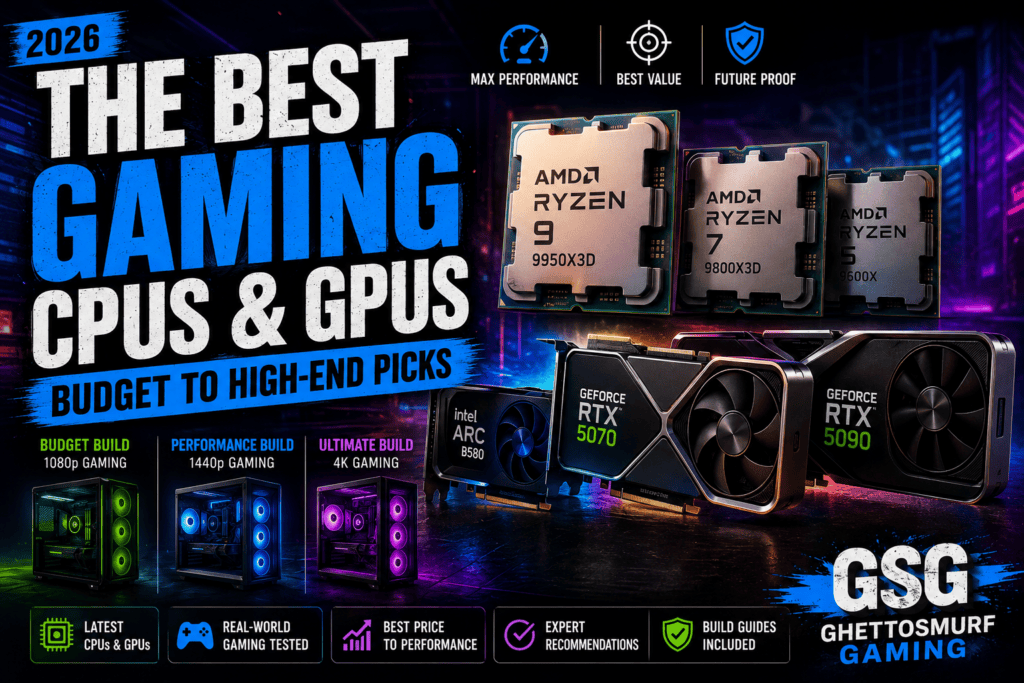
Building or upgrading a gaming PC has never been more exciting—or more confusing.
Every year brings new processors, faster graphics cards and increasingly ambitious technologies. Features such as AI-powered upscaling, advanced ray tracing, frame generation and ever-more demanding game engines promise breathtaking visuals, but they also make choosing the right hardware more challenging than ever.
Many gamers assume that buying the most expensive CPU or GPU automatically guarantees the best experience. In reality, that simply isn’t true.
A well-balanced gaming PC will almost always outperform an expensive but poorly matched build. Pairing a flagship graphics card with an ageing processor, buying an underpowered power supply or neglecting cooling can all limit performance long before you reach your hardware’s full potential.
That’s why this guide takes a different approach.
Instead of chasing benchmark records, we’ve focused on the components that deliver the best overall gaming experience for their price. Whether you’re building your first gaming PC, upgrading an existing system or preparing for the next generation of AAA games, these recommendations are designed to help you spend your money wisely.
How We Chose These Components
At GhettoSmurf Gaming, we don’t recommend hardware based purely on synthetic benchmark scores or marketing claims.
Every CPU and GPU in this guide has been selected using the same editorial criteria:
- 🎮 Real-world gaming performance
- 💰 Value for money
- ⚙️ Driver stability and reliability
- 🌡️ Thermal efficiency
- ⚡ Power consumption
- 🔄 Upgrade potential
- 🎯 Performance across modern AAA titles
- 🏆 Long-term value for gamers
The aim is simple: recommend hardware that offers the best experience, not just the highest numbers.
Best Gaming CPUs for 2026
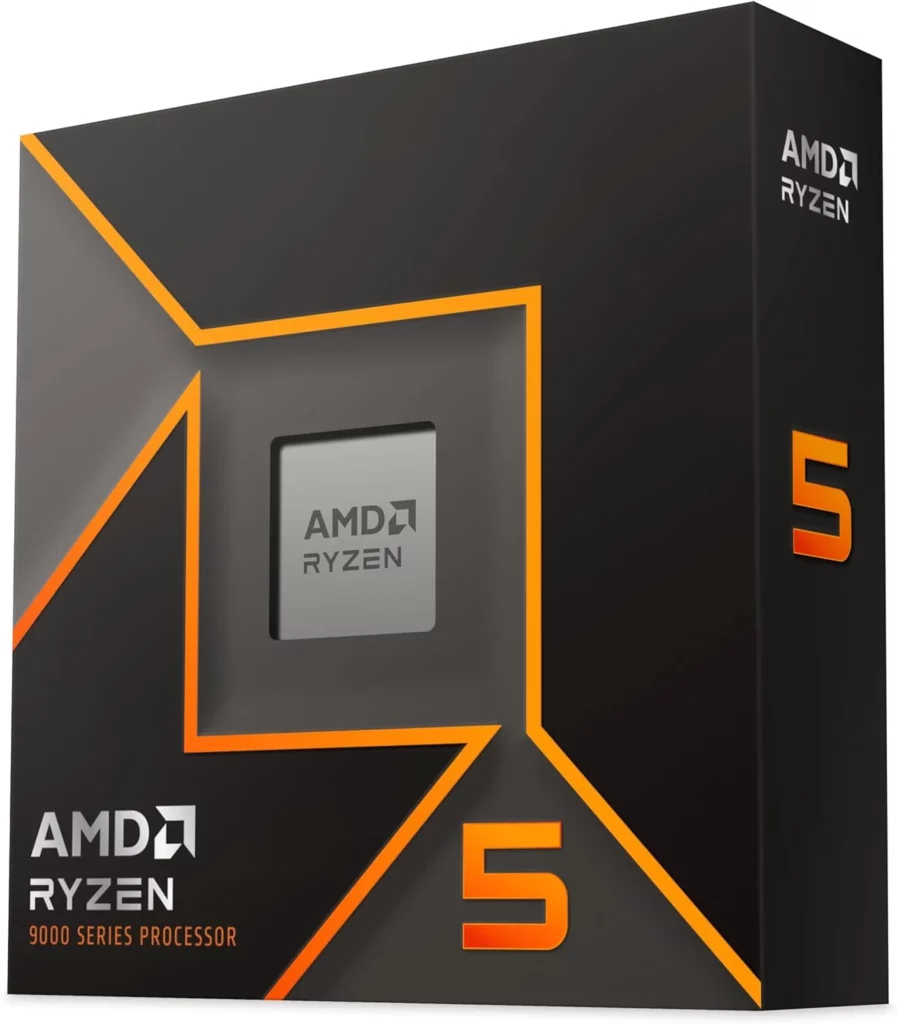
🟢 Best Budget Gaming CPU
AMD Ryzen 5 9600X
For gamers building an affordable PC, the Ryzen 5 9600X offers an excellent balance between price, efficiency and gaming performance.
Its six Zen 5 cores deliver outstanding frame rates in modern games while leaving enough processing power for light streaming, Discord, web browsing and everyday productivity.
Unlike many budget processors of previous generations, it also provides a strong upgrade path thanks to AMD’s AM5 platform.
Why It’s Ranked Here
- Outstanding gaming performance for the price
- Excellent efficiency
- Strong single-core performance
- Future AM5 compatibility
Key Features
- 6 Cores / 12 Threads
- Zen 5 Architecture
- DDR5 Support
- PCIe 5.0
- Excellent 1080p and 1440p gaming
Pros
✔ Fantastic value
✔ Low power consumption
✔ Strong upgrade path
✔ Excellent gaming performance
Cons
✖ Only six cores for heavy productivity workloads
✖ Requires DDR5 motherboard
Best For
- Budget gaming PCs
- First-time builders
- Competitive esports titles
- 1080p and 1440p gaming
💬 GhettoSmurf Verdict
The Ryzen 5 9600X proves you don’t need to spend a fortune to enjoy fantastic gaming performance. For most players, it delivers everything needed for modern games while leaving room in the budget for a stronger graphics card.
📊 GSG Scorecard
| Category | Rating |
|---|---|
| 🎮 Gaming Performance | ⭐⭐⭐⭐⭐ |
| 💰 Value | ⭐⭐⭐⭐⭐ |
| 🌡️ Efficiency | ⭐⭐⭐⭐⭐ |
| 🔄 Future Proofing | ⭐⭐⭐⭐☆ |
| ⚙️ Platform | ⭐⭐⭐⭐⭐ |
⭐ Overall GSG Score
9.4 / 10
🏅 GSG Badges
💰 Best Value
⭐ Must Buy
🎮 GSG Recommends
🟩 Essential
🔵 Best Mid-Range Gaming CPU
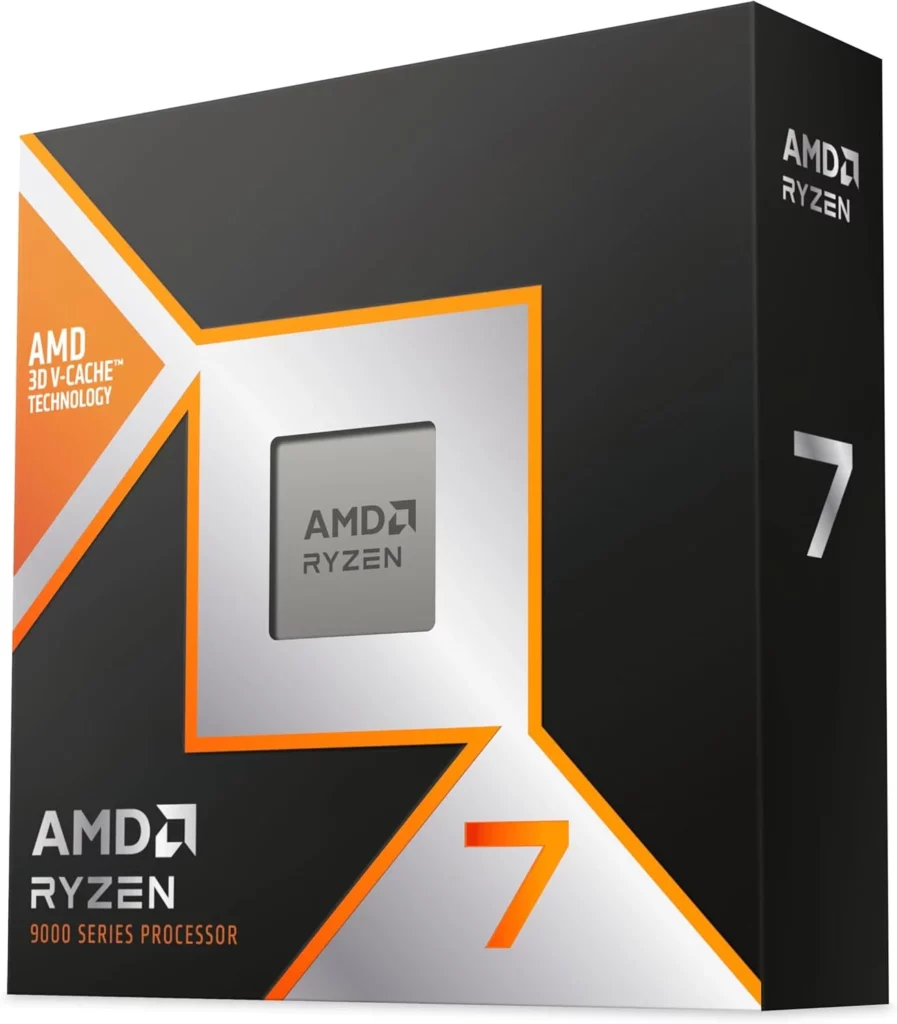
AMD Ryzen 7 9800X3D
If gaming is your primary focus, few processors can compete with AMD’s X3D lineup.
The Ryzen 7 9800X3D combines impressive clock speeds with AMD’s advanced 3D V-Cache technology, giving it exceptional gaming performance across a wide range of titles. From competitive esports to sprawling open-world adventures, it consistently delivers high frame rates while remaining efficient and relatively easy to cool.
Why It’s Ranked Here
The additional cache dramatically improves gaming performance, particularly in CPU-bound titles, making this one of the strongest choices for enthusiasts who want maximum FPS without stepping into workstation-level pricing.
Key Features
- 8 Cores / 16 Threads
- 3D V-Cache Technology
- Zen 5 Architecture
- DDR5 Support
- PCIe 5.0
Pros
✔ Outstanding gaming performance
✔ Excellent power efficiency
✔ Great upgrade path
✔ Ideal for high-refresh-rate gaming
Cons
✖ Not the best choice for heavy content creation
✖ Premium price compared with non-X3D models
Best For
- 1440p gaming
- High-refresh-rate monitors
- Competitive gaming
- Future-proof gaming builds
💬 GhettoSmurf Verdict
The Ryzen 7 9800X3D is the sweet spot for serious gamers. It offers flagship-level gaming performance without the excessive price tag of ultra-high-end CPUs, making it one of the easiest recommendations in this guide.
📊 GSG Scorecard
| Category | Rating |
|---|---|
| 🎮 Gaming Performance | ⭐⭐⭐⭐⭐ |
| 💰 Value | ⭐⭐⭐⭐☆ |
| 🌡️ Efficiency | ⭐⭐⭐⭐⭐ |
| 🔄 Future Proofing | ⭐⭐⭐⭐⭐ |
| ⚙️ Platform | ⭐⭐⭐⭐⭐ |
⭐ Overall GSG Score
9.8 / 10
🏅 GSG Badges
🏆 Editor’s Choice
🔥 Performance Champion
🎮 GSG Recommends
🟩 Essential
🟣 Best High-End Gaming CPU
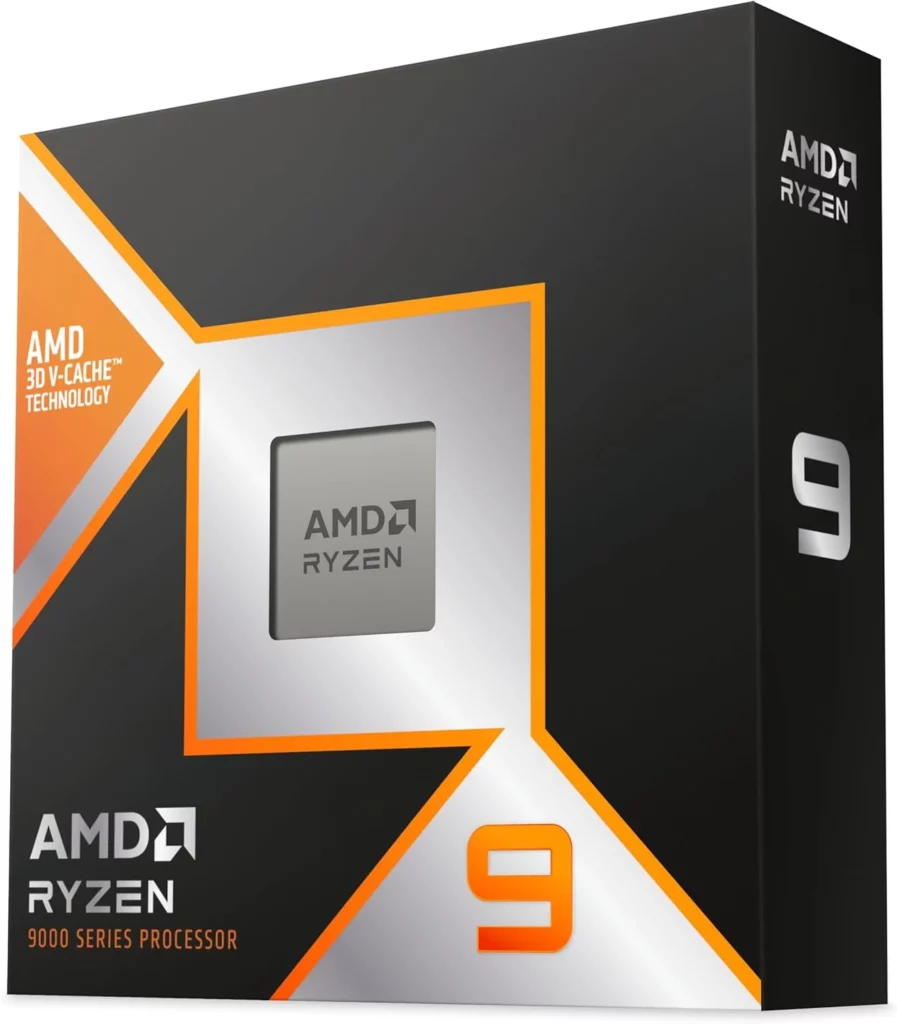
AMD Ryzen 9 9950X3D
If money is no object and you’re looking for one of the most powerful gaming processors available in 2026, the Ryzen 9 9950X3D sits comfortably at the top of the mountain.
Combining AMD’s latest Zen 5 architecture with second-generation 3D V-Cache technology, it delivers exceptional gaming performance while also excelling in productivity tasks such as video editing, streaming and content creation.
Unlike previous flagship CPUs that often sacrificed efficiency for raw performance, the 9950X3D manages to remain remarkably power efficient considering its capabilities.
Whether you’re gaming at ultra-high frame rates, streaming to Twitch or editing YouTube videos after a gaming session, this processor handles it all effortlessly.
Why It’s Ranked Here
The Ryzen 9 9950X3D is currently one of the most complete gaming processors on the market, combining elite gaming performance with workstation-class productivity.
Key Features
- 16 Cores / 32 Threads
- 3D V-Cache Technology
- Zen 5 Architecture
- PCIe 5.0
- DDR5 Support
- Exceptional Multi-Core Performance
Pros
✔ Incredible gaming performance
✔ Outstanding multitasking
✔ Fantastic content creation performance
✔ Future-proof platform
Cons
✖ Expensive
✖ Requires premium cooling
Best For
- 4K gaming
- Streamers
- YouTubers
- Professional content creators
- Enthusiast gaming PCs
💬 GhettoSmurf Verdict
For gamers who also create content, this is about as good as it gets. It delivers incredible gaming performance without compromising on productivity, making it the ultimate all-round processor.
📊 GSG Scorecard
| Category | Rating |
|---|---|
| 🎮 Gaming Performance | ⭐⭐⭐⭐⭐ |
| 💰 Value | ⭐⭐⭐⭐☆ |
| 🌡️ Efficiency | ⭐⭐⭐⭐☆ |
| 🔄 Future Proofing | ⭐⭐⭐⭐⭐ |
| ⚙️ Platform | ⭐⭐⭐⭐⭐ |
⭐ Overall GSG Score
9.9 / 10
🏅 GSG Badges
🏆 Ultimate Performance
🚀 Future Proof
🎮 GSG Recommends
🟩 Essential
Best Gaming GPUs for 2026
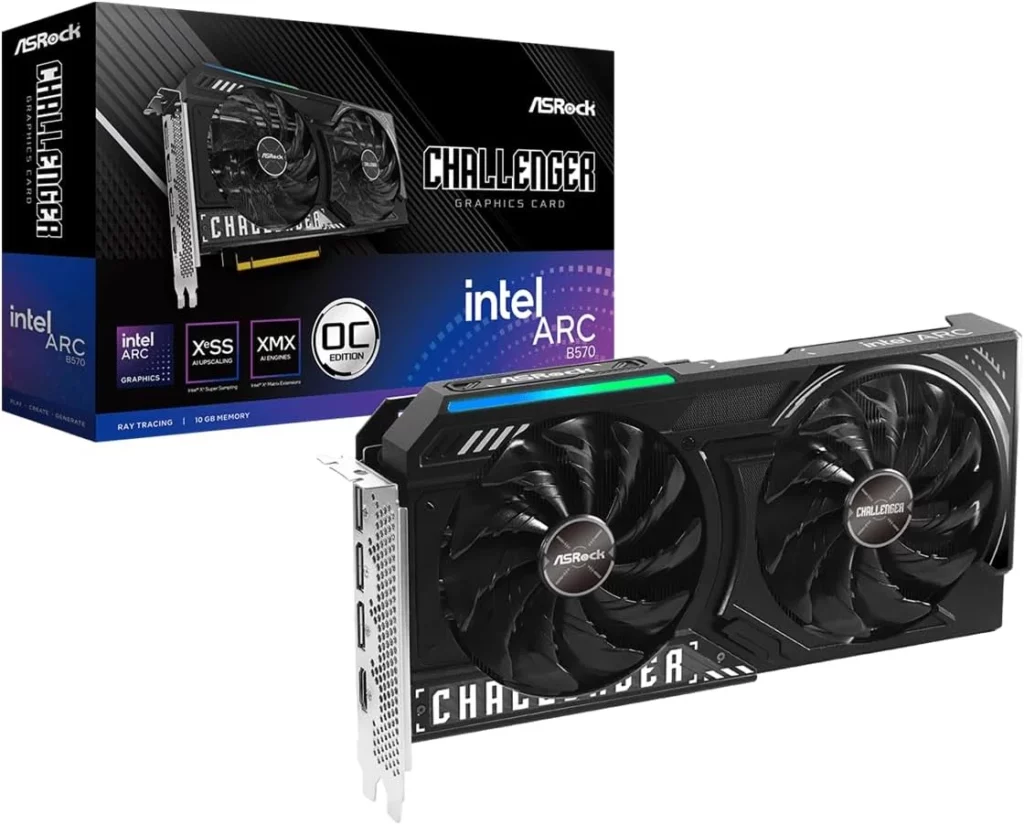
🟢 Best Budget Gaming GPU
Intel Arc B580
Intel’s second-generation Arc series has become one of the biggest surprises in the graphics card market.
The Arc B580 offers excellent 1080p gaming performance, generous VRAM for its price point and impressive value, making it an attractive choice for gamers building a budget-friendly PC.
While Intel still trails AMD and NVIDIA in software maturity, driver improvements have significantly boosted performance across modern titles.
Why It’s Ranked Here
Outstanding value, plenty of VRAM and excellent performance for gamers looking to maximise every pound spent.
Key Features
- Excellent 1080p Gaming
- Strong Ray Tracing Performance
- XeSS AI Upscaling
- Excellent Price-to-Performance Ratio
Pros
✔ Affordable
✔ Plenty of VRAM
✔ Great modern performance
✔ Continually improving drivers
Cons
✖ Driver support still improving
✖ Limited creator ecosystem
Best For
Budget gamers.
💬 GhettoSmurf Verdict
Intel has proven it deserves a place in the GPU conversation. The Arc B580 is one of the smartest purchases for gamers who want excellent performance without overspending.
📊 GSG Scorecard
Overall GSG Score: 9.1 / 10
🏅 Best Value
🎮 Essential
🔵 Best Mid-Range Gaming GPU
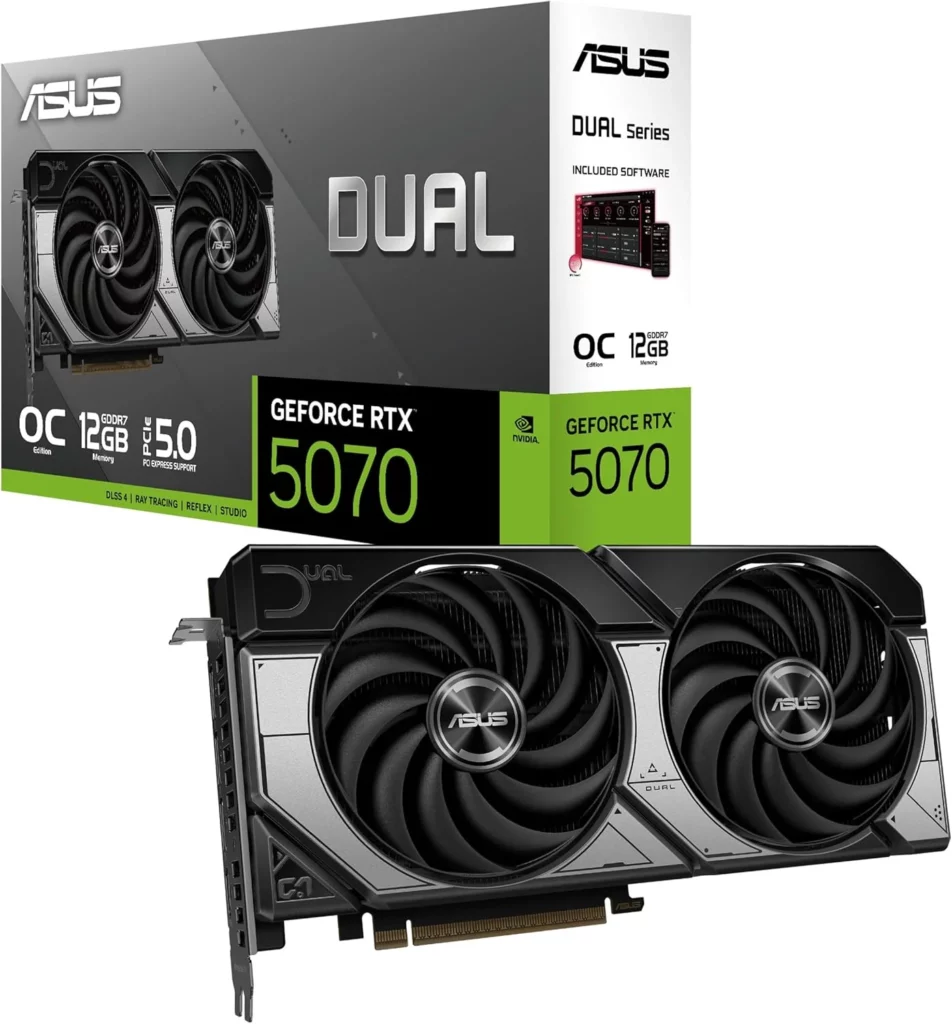
NVIDIA GeForce RTX 5070
For most gamers, this is the sweet spot.
The RTX 5070 delivers excellent 1440p gaming, impressive ray tracing performance and access to NVIDIA’s latest DLSS technology, providing smooth gameplay even in demanding AAA titles.
Why It’s Ranked Here
It balances price, performance and longevity better than almost any other graphics card currently available.
Key Features
- DLSS 4
- Excellent Ray Tracing
- Strong AI Performance
- Fantastic 1440p Gaming
Pros
✔ Excellent efficiency
✔ Superb driver support
✔ Fantastic upscaling
✔ Great creator features
Cons
✖ Premium pricing
✖ 4K still demanding in some games
Best For
1440p gamers.
💬 GhettoSmurf Verdict
If someone asked us to recommend one graphics card for the average gamer in 2026, this would probably be it.
📊 GSG Scorecard
Overall GSG Score: 9.7 / 10
🏆 Editor’s Choice
🔥 Performance Champion
🟩 Essential
🟣 Best High-End Gaming GPU
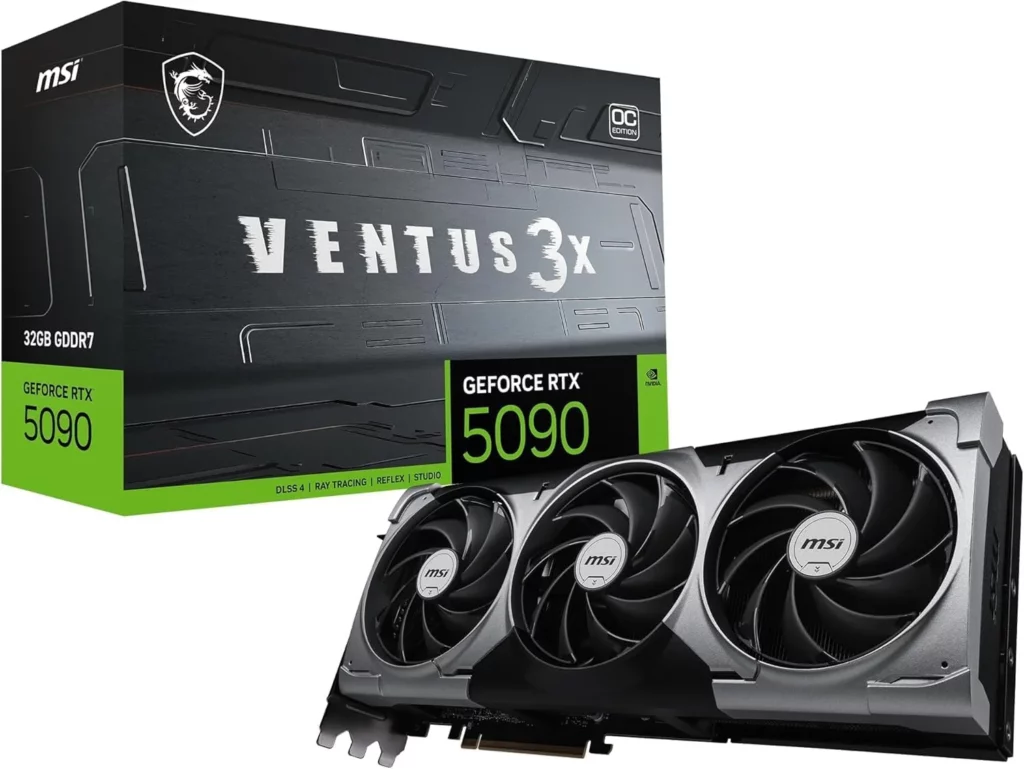
NVIDIA GeForce RTX 5090
The undisputed performance king.
The RTX 5090 pushes modern gaming further than ever before, delivering incredible 4K frame rates, industry-leading ray tracing and AI-enhanced rendering technologies that redefine what’s possible in PC gaming.
It’s expensive.
It’s enormous.
But it’s also astonishing.
Why It’s Ranked Here
Nothing else currently offers this level of gaming performance.
Key Features
- Outstanding 4K Gaming
- Industry-leading Ray Tracing
- DLSS 4
- Massive VRAM
- AI Frame Generation
Pros
✔ Fastest gaming GPU available
✔ Excellent future-proofing
✔ Incredible AI capabilities
✔ Exceptional ray tracing
Cons
✖ Extremely expensive
✖ Huge power requirements
✖ Large physical size
Best For
Enthusiasts chasing the absolute best gaming experience.
💬 GhettoSmurf Verdict
The RTX 5090 isn’t built for everyone.
It’s built for gamers who refuse to compromise.
If your budget allows it, nothing else currently comes close.
📊 GSG Scorecard
Overall GSG Score: 10 / 10
🏆 Ultimate Performance
🚀 Future Proof
🟩 Essential
💚 GSG Budget Gaming Build (1080p)
| Component | Recommendation |
|---|---|
| CPU | AMD Ryzen 5 9600X |
| GPU | Intel Arc B580 |
| RAM | 32GB DDR5 6000MHz |
| Motherboard | B650 |
| Storage | 1TB NVMe SSD |
| PSU | 750W 80+ Gold |
| Cooler | Air Cooler |
Expected Performance
- 1080p Ultra
- 100–180 FPS in Esports titles
- 70–120 FPS in modern AAA games
Estimated Budget: £950–£1,150
GSG Build Score: ⭐⭐⭐⭐☆
GSG Performance Gaming Build (1440p)
| Component | Recommendation |
|---|---|
| CPU | Ryzen 7 9800X3D |
| GPU | RTX 5070 |
| RAM | 32GB DDR5 |
| Motherboard | X870 |
| Storage | 2TB NVMe SSD |
| PSU | 850W Gold |
Expected Performance
- 1440p Ultra
- Excellent Ray Tracing
- High Refresh Rate Gaming
Estimated Budget: £1,700–£2,100
GSG Build Score: ⭐⭐⭐⭐⭐
GSG Ultimate Gaming Build (4K)
| Component | Recommendation |
|---|---|
| CPU | Ryzen 9 9950X3D |
| GPU | RTX 5090 |
| RAM | 64GB DDR5 |
| Motherboard | X870E |
| Storage | 4TB NVMe Gen5 SSD |
| PSU | 1200W Platinum |
Expected Performance
- Native 4K Ultra
- Heavy Ray Tracing
- AI Frame Generation
- Streaming
- Video Editing
Estimated Budget: £4,500+
GSG Build Score: ⭐⭐⭐⭐⭐
GSG Reflection
Buying the most expensive PC doesn’t automatically make it the best gaming PC.
The smartest gaming rigs are balanced, efficient and tailored to the games you actually play. Chasing benchmark numbers can be tempting, but consistent performance, stability and value will always matter more than owning the most expensive components on the market.
CPU vs GPU: Which Should You Upgrade First?

One of the most common questions gamers ask is:
“Should I upgrade my CPU or my graphics card first?”
The honest answer is:
It depends on what’s limiting your current system.
Many players immediately assume they need a new GPU because modern games look more demanding than ever. However, spending hundreds of pounds on a graphics card while pairing it with an ageing processor can leave a significant amount of performance on the table.
Understanding where your PC is struggling is the key to making the right upgrade.
Upgrade Your CPU If…
Consider upgrading your processor if you experience:
- Low frame rates in CPU-intensive games
- Frequent stuttering during gameplay
- Poor minimum FPS despite a capable graphics card
- High CPU usage (90–100%) while gaming
- Slow loading during large multiplayer matches
- Reduced performance while streaming or multitasking
Games such as:
- Microsoft Flight Simulator
- Cities: Skylines II
- Civilization VII
- Dota 2
- Counter-Strike 2
can all place considerable demand on the processor.
Upgrade Your GPU If…
A graphics card upgrade will usually provide the biggest improvement if you experience:
- Low FPS at higher resolutions
- Poor ray tracing performance
- Running out of VRAM
- Difficulty maintaining Ultra settings
- Frame drops when enabling modern graphical effects
Modern AAA games continue pushing graphics technology further every year, making the GPU the single most important component for visual performance.
💭 GSG Reflection
Don’t upgrade based on hype. Upgrade based on your bottleneck.
The fastest graphics card in the world won’t solve poor CPU performance, just as the best processor won’t magically improve graphics settings if your GPU is struggling.
A balanced PC will always outperform an unbalanced one.
How to Future-Proof Your Gaming PC
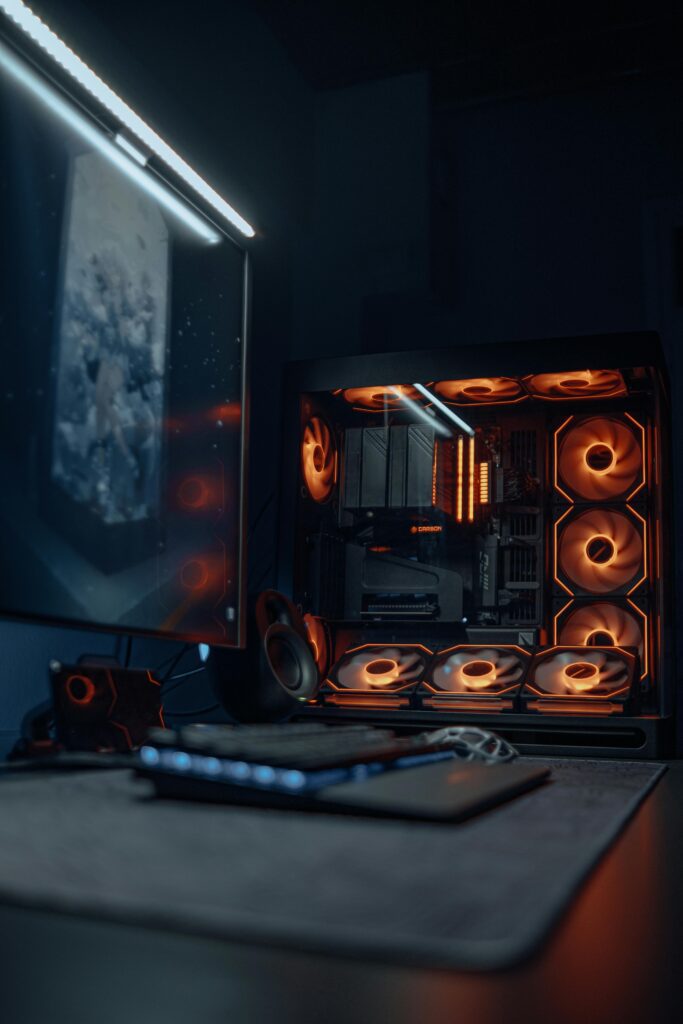
Technology evolves quickly, but smart purchases can extend the life of your system by several years.
Here are our recommendations for building with longevity in mind.
Buy More VRAM Than You Think You Need
Modern games continue increasing texture quality and memory requirements.
For 2026 we recommend:
- 1080p Gaming: Minimum 12GB VRAM
- 1440p Gaming: 16GB VRAM preferred
- 4K Gaming: 16GB–24GB VRAM
VRAM isn’t everything, but running out of it causes noticeable stuttering and reduced texture quality.
Choose DDR5
DDR5 has become the new standard for gaming PCs.
It offers:
- Better bandwidth
- Improved efficiency
- Greater upgrade potential
Although DDR4 still performs well, new builds should almost always use DDR5.
Buy a Quality Power Supply
The PSU is often the most overlooked component in a gaming PC.
Never buy the cheapest option.
Choose:
- 80+ Gold or better
- Reputable brands
- Extra wattage for future upgrades
A good power supply can last through multiple PC builds.
Don’t Ignore Cooling
A powerful processor can’t perform properly if it’s constantly overheating.
Better cooling means:
- Higher sustained boost clocks
- Less thermal throttling
- Lower noise
- Longer hardware lifespan
Cooling is an investment, not an unnecessary luxury.
Buy for Tomorrow, Not Just Today
Ask yourself:
“Will this hardware still comfortably run games three years from now?”
Spending slightly more today can often save you from another expensive upgrade much sooner than expected.
Common PC Building Mistakes
Even experienced builders occasionally make these errors.
Avoiding them can save money and frustration.
❌ Overspending on the GPU
Many builders spend 70% of their budget on the graphics card while neglecting every other component.
Balance always wins.
❌ Buying Too Little Storage
Modern games regularly exceed 100GB.
A 500GB SSD fills up incredibly quickly.
We recommend:
Minimum: 1TB
Ideal: 2TB
❌ Cheap Power Supplies
A poor-quality PSU can cause instability and may even damage expensive components.
It’s one area where cutting corners rarely pays off.
❌ Ignoring Airflow
Even premium hardware performs poorly inside a poorly ventilated case.
Good airflow keeps temperatures lower and extends component lifespan.
❌ Buying Hardware You Don’t Need
Not everyone needs:
- RTX 5090
- Ryzen 9
- 64GB RAM
Buy for your gaming habits—not for bragging rights.
💭 GSG Reflection
The best gaming PC isn’t the one with the highest benchmark score.
It’s the one that quietly delivers fantastic performance every time you sit down to play.
GhettoSmurf Gaming
Hardware Awards 2026
🏆 Best Overall Gaming CPU
AMD Ryzen 7 9800X3D
Outstanding gaming performance.
Excellent efficiency.
Fantastic value.
Our favourite CPU of 2026.
🏆 Best Overall Gaming GPU
NVIDIA GeForce RTX 5070
The perfect balance between performance, features and price.
For most gamers, this is the graphics card to buy.
💰 Best Budget CPU
AMD Ryzen 5 9600X
Exceptional gaming performance without breaking the bank.
💰 Best Budget GPU
Intel Arc B580
One of the biggest surprises of the year.
Fantastic value.
🚀 Ultimate Enthusiast Hardware
Ryzen 9 9950X3D + RTX 5090
If budget isn’t a concern, nothing currently beats this combination.
⭐ Best Future-Proof Platform
AMD AM5
Excellent upgrade path.
PCIe 5.0.
A platform built for years to come.
GhettoSmurf Editor's Pick
AMD Ryzen 7 9800X3D
“Sometimes the best hardware isn’t the most expensive—it’s the one that delivers exceptional performance without unnecessary compromises.”
The Ryzen 7 9800X3D strikes that balance perfectly.
It consistently produces outstanding gaming performance, remains efficient, and offers one of the strongest value propositions for enthusiasts building a new gaming PC.
If someone asked us to recommend just one processor for gaming in 2026, this would be our answer.
💬 Community Question of the Week
If you had £2,000 to build your dream gaming PC, which CPU and GPU would you choose—and why?
Share your build ideas in the comments below!

Final Thoughts
Building a gaming PC in 2026 can feel overwhelming.
With so many processors, graphics cards and new technologies competing for your attention, it’s easy to believe that spending more is the only path to better performance.
In reality, the opposite is often true.
The best gaming systems aren’t defined by price tags.
They’re defined by balance.
A thoughtfully chosen CPU paired with the right GPU, sufficient memory, fast storage and reliable cooling will almost always provide a better gaming experience than a collection of the most expensive components available.
As games continue evolving with more advanced graphics, AI-assisted rendering and increasingly complex worlds, choosing hardware that fits your needs, not someone else’s benchmark chart—will remain the smartest investment.
At GhettoSmurf Gaming, we believe that every gamer deserves hardware recommendations they can trust.
Whether you’re building your very first PC or upgrading to chase higher frame rates, our advice remains the same:
Buy smart. Build balanced. Play more.
At GhettoSmurf Gaming, we’ll keep bringing you the Latest trends, Gear reviews, Anime Reviews, Game Reviews and setup ideas to help you level up without emptying your wallet. Stay tuned weekly for more gaming insights!
FAQs: best gaming CPUs and GPUs 2026
1. What is the best gaming CPU in 2026?
The AMD Ryzen 7 9800X3D offers the best balance of gaming performance, efficiency and value, making it our Editor’s Pick for most gamers.
2. Which graphics card offers the best value?
The NVIDIA GeForce RTX 5070 provides outstanding 1440p performance, strong ray tracing capabilities and excellent longevity, making it our top value recommendation.
3. Is AMD or Intel better for gaming?
Both manufacturers produce excellent gaming hardware. AMD currently offers exceptional gaming-focused CPUs, while Intel continues to provide strong alternatives, particularly for mixed gaming and productivity workloads.
4. How much RAM do I need for gaming in 2026?
We recommend 32GB of DDR5 RAM for new gaming builds. It provides ample headroom for modern AAA titles, multitasking and future game requirements.
5. Should I upgrade my CPU or GPU first?
Identify your system’s bottleneck first. If your graphics card is limiting frame rates, upgrade the GPU. If your processor is constantly running at high utilisation and causing stuttering, a CPU upgrade will likely provide the bigger improvement.

WORLD OF WARCRAFT RETAIL: MY LOVE-HATE RELATIONSHIP WITH AZEROTH
I've played Warcraft for almost half my life. From discovering...
Read More
Why SWTOR Survived by Becoming a Story-First MMO
Why has SWTOR survived while so many other MMOs have...
Read More
World of Warcraft Forever: Blizzard Is Rebuilding Classic Without Losing What Made It Special
World of Warcraft Forever is changing Classic in a big...
Read More