

Why Your FPS Drops in Modern Games (Even With a High-End GPU)
You finally built your dream gaming PC.
An RTX-class graphics card.
A fast multi-core processor.
32GB of RAM.
An NVMe SSD.
You launch the latest AAA game, crank every setting to Ultra, enable ray tracing and DLSS, expecting buttery-smooth gameplay…
Then your FPS Drops in games into the 40s.
Maybe even the 20s.
The game stutters every few seconds, your GPU utilisation jumps all over the place, and suddenly your expensive gaming rig doesn’t feel so premium anymore.
Sound familiar?
You’re certainly not alone.
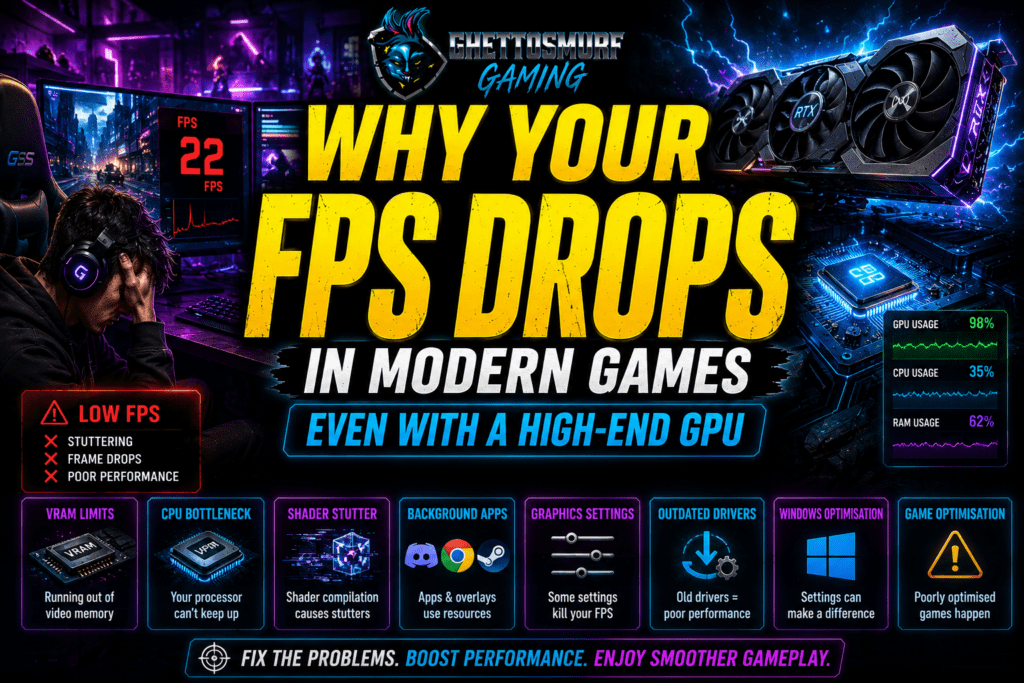
One of the biggest misconceptions in PC gaming is that buying high-end hardware guarantees excellent performance. While powerful components certainly help, modern games have become increasingly demanding and technically complex. Today’s performance issues often have less to do with raw horsepower and more to do with optimisation, engine design and how well your entire system works together.
Let’s look at the biggest reasons why your FPS drops in games and, more importantly, what you can actually do about it.
1. VRAM Is Becoming More Important Than Raw GPU Power

For years, gamers focused almost entirely on graphics card performance.
How many CUDA cores?
What’s the boost clock?
How many TFLOPS?
While those specifications still matter, VRAM has become one of the most important factors in modern gaming.
Think of VRAM as your graphics card’s workspace. Every high-resolution texture, shadow map, lighting effect and ray-traced reflection needs somewhere to be stored. If a game runs out of available VRAM, it starts constantly moving data between your graphics card and system memory. That process introduces noticeable stuttering, inconsistent frame times and sudden FPS drops.
This is especially common when playing at:
- 1440p Ultra
- 4K resolution
- High-resolution texture packs
- Ray tracing enabled
- Path tracing enabled
Modern titles frequently consume more than 10–12GB of VRAM with maximum settings.
Quick Tip
If you’re experiencing severe stuttering, try lowering texture quality before reducing other settings. Texture quality often has a huge impact on VRAM usage while having a surprisingly small effect on visual quality.
2. Your CPU Could Be Holding Everything Back

Many gamers assume their graphics card is always the limiting factor and why your FPS drops in games.
In reality, your CPU is often just as important.
While your GPU renders the graphics, your processor is responsible for:
- NPC AI
- Physics calculations
- Traffic systems
- Object streaming
- Animation logic
- Open-world simulation
- Background game systems
Games such as Cyberpunk 2077, Dragon’s Dogma 2 and Microsoft Flight Simulator place enormous demands on modern CPUs.
Even pairing a flagship GPU with an older processor can create bottlenecks where the graphics card sits idle waiting for the CPU to finish its work.
Signs of a CPU Bottleneck
- GPU usage constantly below 90%
- One or two CPU cores maxed out
- FPS drops in busy cities
- Performance worsening with more NPCs
Upgrading your processor isn’t always necessary, but understanding whether your CPU is limiting performance is the first step.
3. Shader Compilation Stutter Is Driving Gamers Crazy
If you’ve played modern Unreal Engine 5 games, you’ve probably experienced it.
The game runs perfectly…
Then suddenly freezes for half a second.
Then continues as though nothing happened.
This is usually shader compilation stutter.
Shaders tell your graphics card how to render lighting, reflections, shadows and visual effects.
When those shaders are compiled in real time rather than before gameplay begins, the game can pause momentarily while new shaders are generated.
The important thing to remember is this:
This is rarely your fault.
Even the fastest gaming PCs can experience shader compilation stutter if developers haven’t implemented proper pre-compilation.
4. Background Applications Quietly Eat Performance

Modern PCs rarely run just one application.
Before launching a game, many players already have:
- Discord
- Steam
- RGB software
- MSI Afterburner
- Browser tabs
- Spotify
- OBS
- Antivirus scans
- Windows updates
Each consumes system resources and can be a cause to why your FPS drops in games.
Individually, the impact may seem small, but together they can reduce available CPU time and memory.
Before Gaming
Close unnecessary applications.
Disable startup programs you don’t need.
Pause large downloads.
Avoid running multiple overlays at the same time.
Small changes often result in smoother gameplay.
5. Some Graphics Settings Destroy FPS
Not all graphics options affect performance equally.
Many players simply move every slider to Ultra.
In reality, certain settings have a far greater impact than others.
The biggest FPS killers include:
- Ray Tracing
- Path Tracing
- Volumetric Lighting
- Shadow Quality
- Reflections
- Ambient Occlusion
Meanwhile, settings like anisotropic filtering or texture quality often have a much smaller effect on frame rates.
A balanced graphics preset almost always provides a better experience than blindly selecting Ultra.
6. Drivers Matter More Than People Think
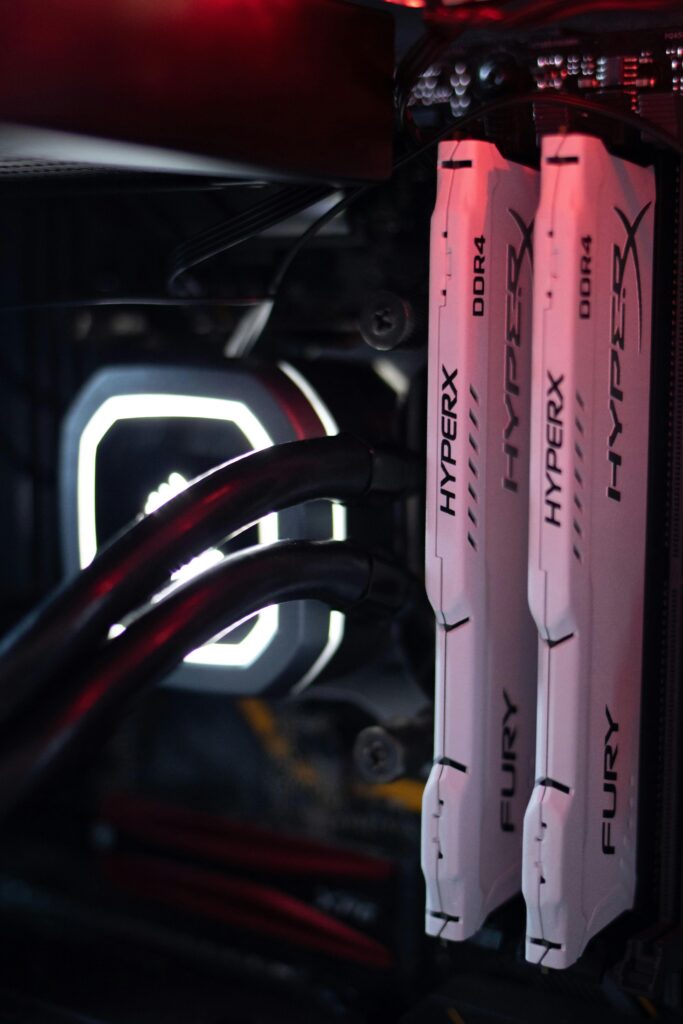
Graphics drivers are constantly evolving.
New releases often include:
- Game-specific optimisations
- Bug fixes
- Stability improvements
- Better frame pacing
- Support for new technologies
However, newer isn’t always better.
Occasionally, newly released drivers introduce unexpected issues and can be a cause of why your FPS drops in games.
My advice?
Keep your drivers reasonably up to date, but don’t feel pressured to install every release on day one. If your current games are running perfectly, it’s often worth waiting a few days to see how the community responds.
7. Windows Optimisation Still Makes a Difference
Windows has improved dramatically for gamers, but there are still several settings worth checking.
Consider:
- Enabling Game Mode
- Using the High Performance power plan
- Installing games on an SSD or NVMe drive
- Keeping adequate free storage space
- Updating chipset drivers
- Removing unnecessary startup applications
None of these tweaks will magically double your FPS.
Together, however, they can noticeably improve consistency and reduce annoying stutters.
8. Sometimes… It's Simply the Game
This is perhaps the hardest truth to accept.
Sometimes your PC isn’t the problem for why your FPS drops in games.
The game is.
Recent years have seen several high-profile releases launch with:
- Poor optimisation
- Memory leaks
- CPU bottlenecks
- Unreal Engine 5 traversal stutter
- Excessive shader compilation
- Incomplete PC ports
No amount of expensive hardware can fully compensate for poor optimisation.
Gamers deserve polished releases.
Unfortunately, the modern “launch now, patch later” culture means many titles arrive before they’re truly ready.
What Gamers Actually Want

Despite all the marketing surrounding graphics and new technology, most players aren’t asking for photorealistic visuals above everything else.
They want:
- Stable frame rates
- Consistent frame pacing
- Fewer crashes
- Better optimisation
- Fair hardware requirements
- Smooth gameplay from launch
A game running flawlessly at 100 FPS will almost always feel better than one fluctuating wildly between 40 and 140 FPS.
Performance matters.
Consistency matters even more.
Final Thoughts
Gaming hardware has never been more powerful.
Yet many players feel modern games have never been harder to run.
That’s because performance today is about far more than buying the fastest GPU.
VRAM capacity, CPU performance, engine optimisation, shader compilation, storage speed and thoughtful graphics settings all play a role in delivering a smooth experience.
Before spending hundreds on a new graphics card, take the time to understand where your real bottleneck lies.
The answer might surprise you.
And in many cases, a few smart adjustments can breathe new life into the system you already own.
At GhettoSmurf Gaming, we’ll keep bringing you the Latest trends, Gear reviews, Anime Reviews, Game Reviews and setup ideas to help you level up without emptying your wallet. Stay tuned weekly for more gaming insights!
FAQs: FPS drops in games
Why does my FPS drop even with a powerful GPU?
Common causes include VRAM limitations, CPU bottlenecks, shader compilation, background applications and poor game optimisation.
What graphics settings affect FPS the most?
Ray tracing, path tracing, volumetric lighting, reflections and shadow quality usually have the greatest performance impact.
Is Unreal Engine 5 responsible for stuttering?
Not directly. Unreal Engine 5 is capable of excellent performance, but some games suffer from shader compilation and optimisation issues.
Should I upgrade my CPU or GPU first?
Identify the bottleneck first. Monitoring software can show whether your CPU or GPU is limiting performance.
Can Windows settings improve gaming performance?
Yes. While the gains are modest, proper Windows optimisation can improve stability, reduce background resource usage and provide smoother gameplay.

WORLD OF WARCRAFT RETAIL: MY LOVE-HATE RELATIONSHIP WITH AZEROTH
I've played Warcraft for almost half my life. From discovering...
Read More
Why SWTOR Survived by Becoming a Story-First MMO
Why has SWTOR survived while so many other MMOs have...
Read More
World of Warcraft Forever: Blizzard Is Rebuilding Classic Without Losing What Made It Special
World of Warcraft Forever is changing Classic in a big...
Read More
[…] Why Your FPS Drops in Games (Even With an Expensive High-End GPU) in 2026 […]
[…] Poor minimum FPS despite a capable graphics card […]